The RSS feed makes it possible for you to get automatic notices to all of your favorite sites updates.
Many News organizations such as CNN or MSN will have the  . This logo means that their site
is set up for automatic updates. Now A Wet State is set up like these sites to deliver automatic notices anytime
that I add a new video, new pics, or new run write-ups. These notices can be set up to be sent to your email in many
cases, or to your Feedreader software which can be found online for free (with no ad-wares). This will be a short
outline of two ways to get the updates onto your computer. Once you set up the Feedreader or email to subscirbe to a
RSS feed you will not have to update it again, you will simply be notified everytime I update my site. Thanks for your
time. . This logo means that their site
is set up for automatic updates. Now A Wet State is set up like these sites to deliver automatic notices anytime
that I add a new video, new pics, or new run write-ups. These notices can be set up to be sent to your email in many
cases, or to your Feedreader software which can be found online for free (with no ad-wares). This will be a short
outline of two ways to get the updates onto your computer. Once you set up the Feedreader or email to subscirbe to a
RSS feed you will not have to update it again, you will simply be notified everytime I update my site. Thanks for your
time.
|
| |
| Firefox 2.0 (EASIEST) |
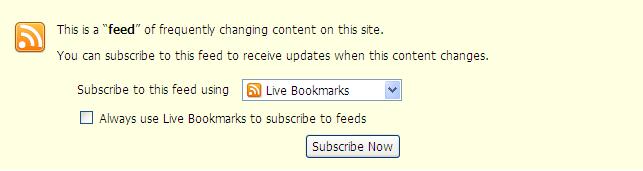
| If you have firefox 2.0 then use this method. All you have to do is click on the button
and the following window will pop up. Click suscribe and you are done.
|
| |
| Firefox "Sage" Extension |
| So this is by far the easiest method to use without loading a new browser, but you have to be using Mozilla Firefox as your internet browser.
So download the Sage extension at http://sage.mozdev.org/.
Once you close and reopen Firefox is will automatically be loaded (the green leaf next to the search bar). Now go to www.AWetState.com
hit the sage leaf to bring the sage window up. Press the Magnifying glass and Sage/Firefox will automatically locate
the feed and you are set up.
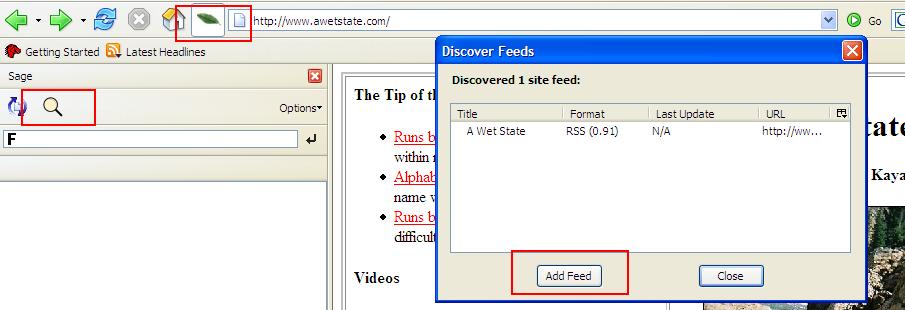
I should also note, if you have an old version of fireforx (before version 1.5) this may not work... so I updated
my Firefox and it worked fine. But if you have to upload a new version of Firefox, the 2.0 comes with feeds as discussed above.
|
| |
| Gmail Set Up |
| The set up is different for each email, so here is a quick walk through with gmail. Once in email hit the setting button
at the top on the right. You will see the window as below. Where the left red box is, type in "www.AWetState.com/RSS.xml" and
hit search. Once it finds it hit add. That is it.
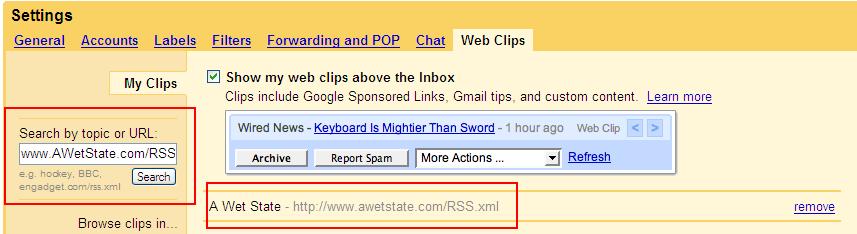
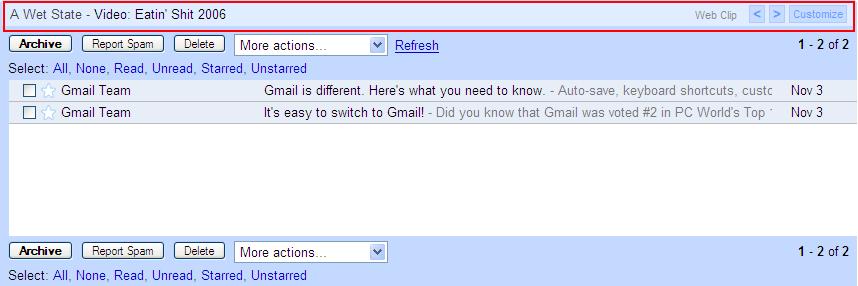
Now, whenever there is an update you will see a blurb above your inbox in your email account as seen below.
|
| |
| FeedReader |
Different Feed Reading softwares can be downloaded (most are free). Feedreader is one such software, it is free and has
not ad-ware which is always nice. Go to http://fileforum.betanews.com
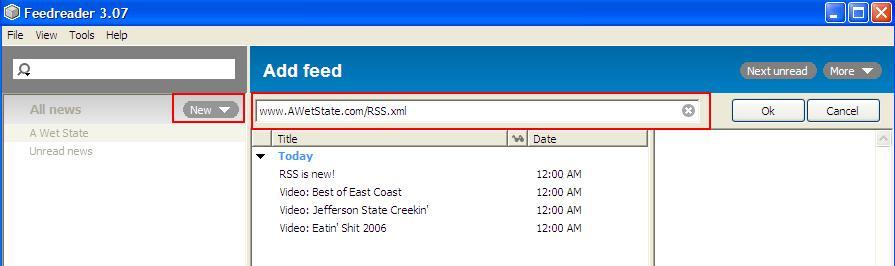
to download the software. Once downloaded, run the .exe to setup the software. Once to have it installed, you can open it. Hit the new buttom and the "New Feed" box will open
now type in www.AWetState.com/RSS.xml and you are set.
|